

We’ve reached a strange moment in marketing where we don’t suffer from a lack of information, but from drowning in it.
Research docs. Customer calls. Competitive pages. Earnings notes. Slack threads. PDFs that felt important once and now live in Untitled folder.
The job is no longer to create more content but to extract signal from noise.
That's what Google NotebookLM is built for.
You bring your sources, it works only from those.
And because it's Google, it connects to the places where your knowledge already lives. Drive, YouTube, Gmail, Search. Your docs, your research, your calls.
All of it queryable in one place.
Which means NotebookLM isn’t trying to guess context from the internet. It’s built to sit right inside the places where your real knowledge already lives.
That one constraint is massive for GTM work.
In this letter, you'll learn how to get started with NotebookLM, walk through each feature in detail, and see exactly how to put it to work
First, open NotebookLM. Hit Create Notebook in the top right. Give it a name.
Next, you add sources.
Let’s say you want to get up to speed on AEO.
You create a notebook, name it Answer Engine Optimization, and start adding sources.
You can search the Web manually and pick what looks relevant. Or you can use Fast Research, type in Answer Engine Optimization, and let NotebookLM pull the most useful sources for you. Articles, YouTube videos, guides. You review, select, and add.
You can also bring in sources you already have.
Paste the link or upload the file and it’s in.
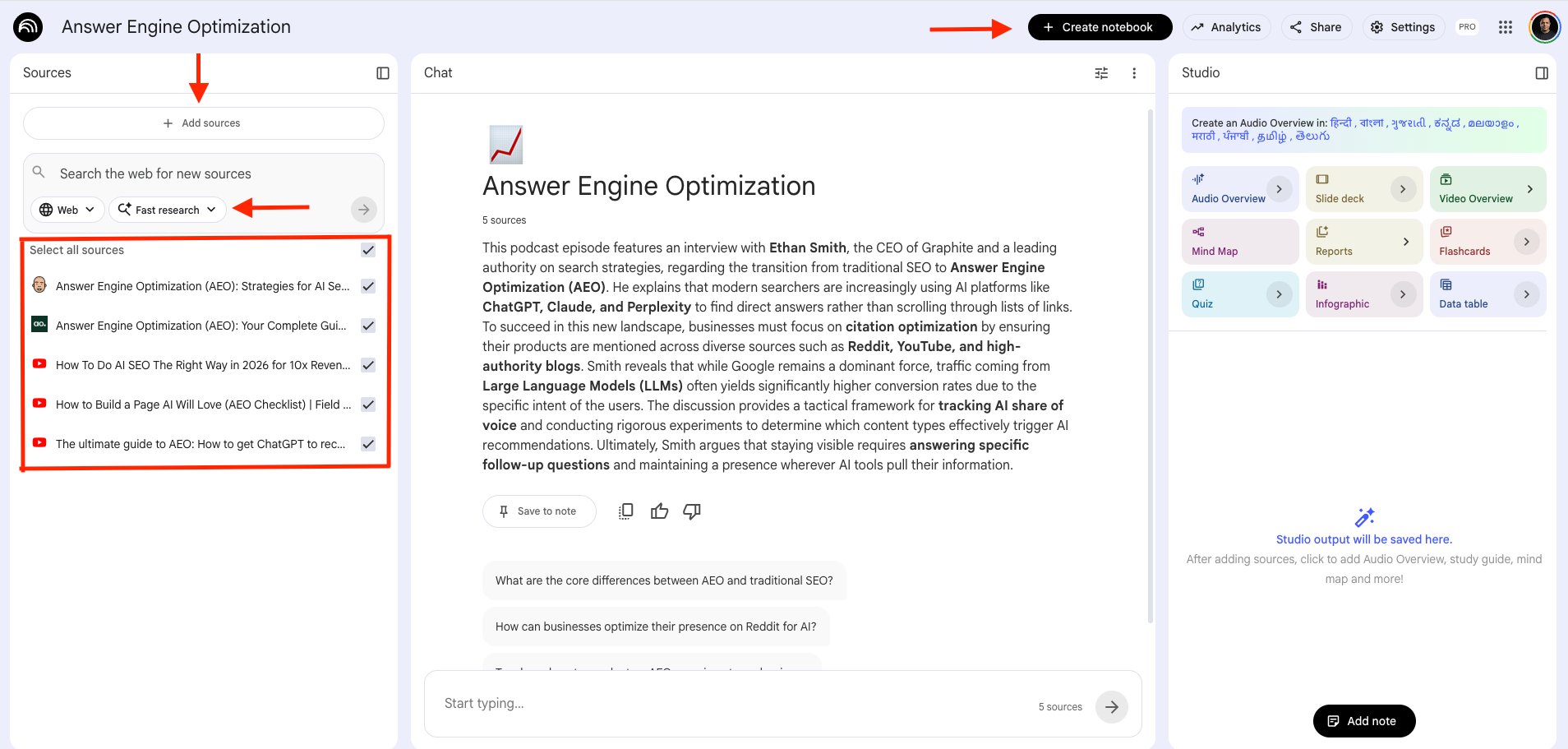
That’s it. Your notebook is ready to work with.
Once your sources are in, you can start asking questions directly in the chat.
NotebookLM answers from what it read. And every answer comes with citations. Click on any claim and it takes you back to the exact source and passage it pulled from. You can verify, challenge, or dig deeper.
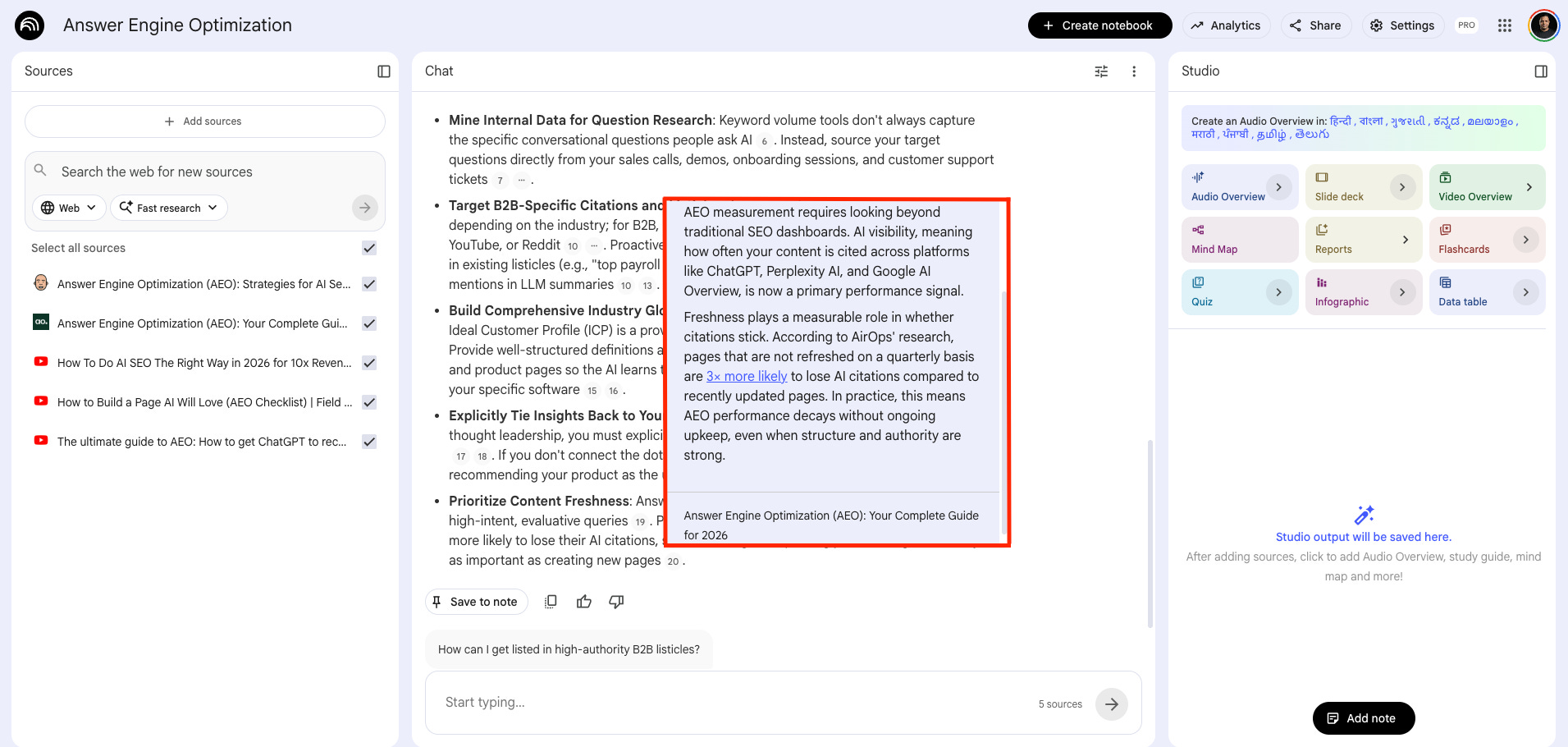
That’s the part that matters for GTM work. You’re not guessing whether the answer is accurate. You can see exactly where it came from.
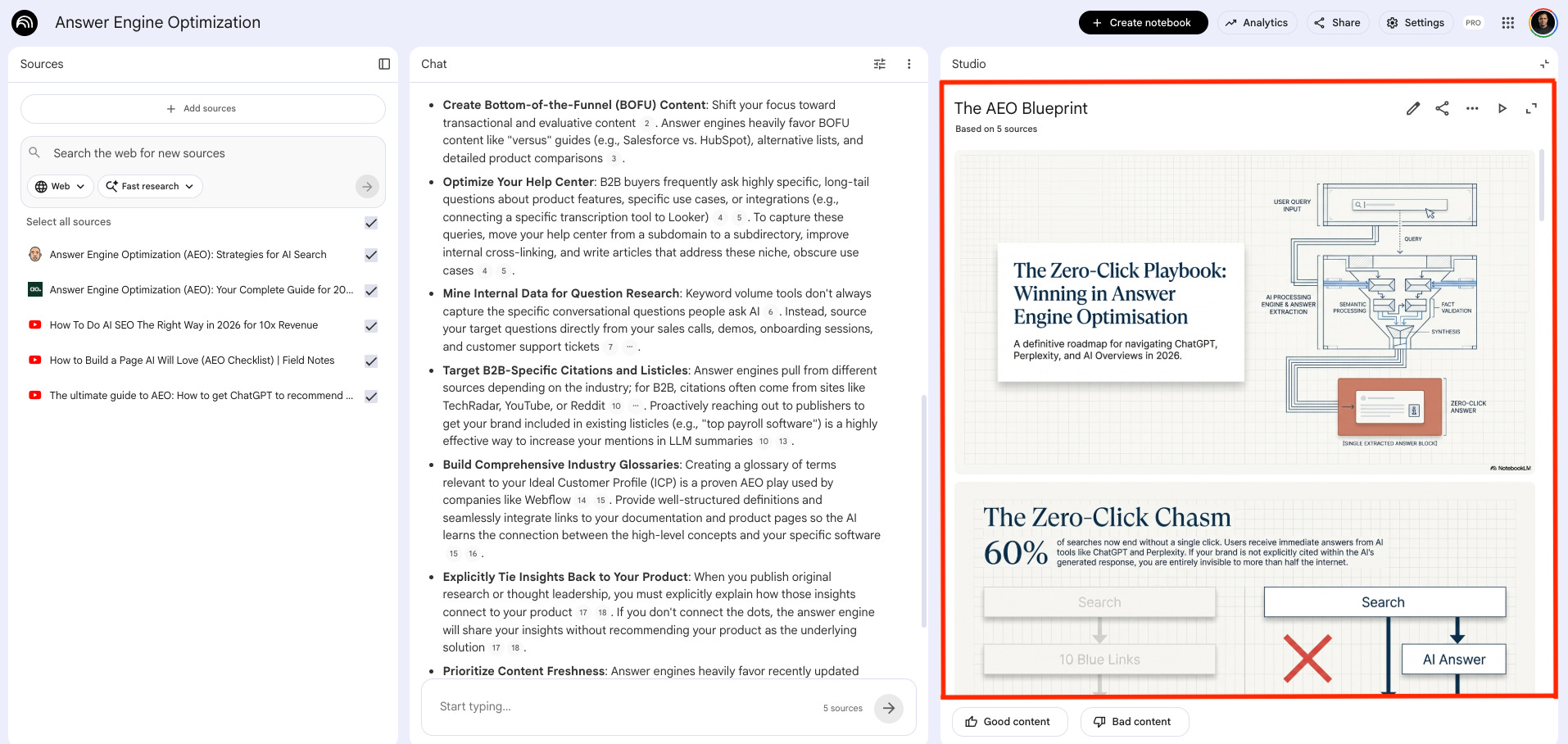
On the right, you have the Studio panel.
This is where you turn your sources into something useful. Audio overviews, slide decks, video overviews, mind maps, reports, flashcards, quizzes, infographics, and data tables.
Let’s get into each one.
1. Reports
NotebookLM suggests formats based on what it reads: briefing docs, study guides, blog posts. Or you can pick from its own suggestions, things like a strategic white paper, an implementation roadmap, or give it custom instructions if you want something specific.
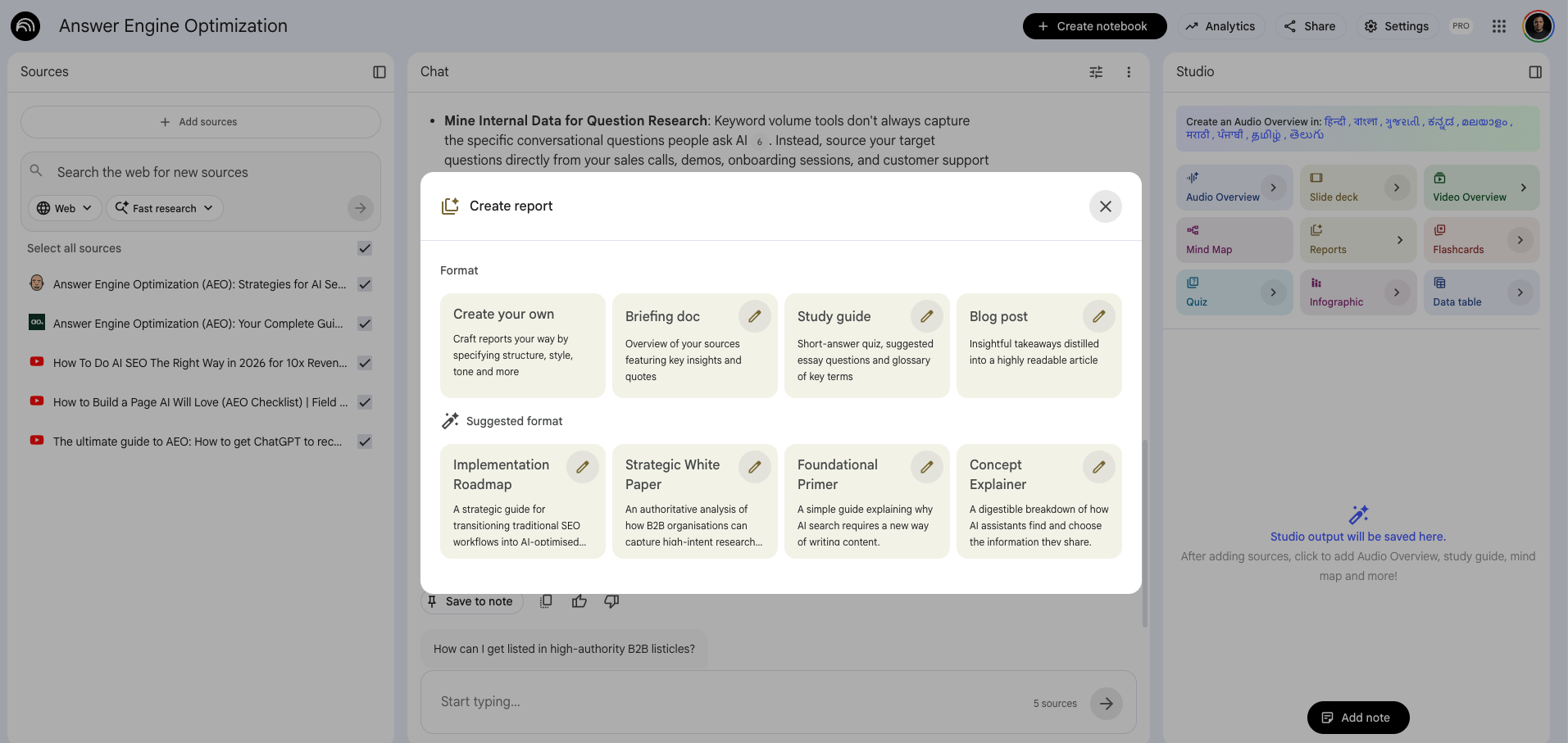
Pick strategic white paper, hit generate, and it returns a pretty decent report based entirely on your sources.
Let’s pick strategic white paper, hit generate, and it returns a pretty decent report based entirely on your sources.
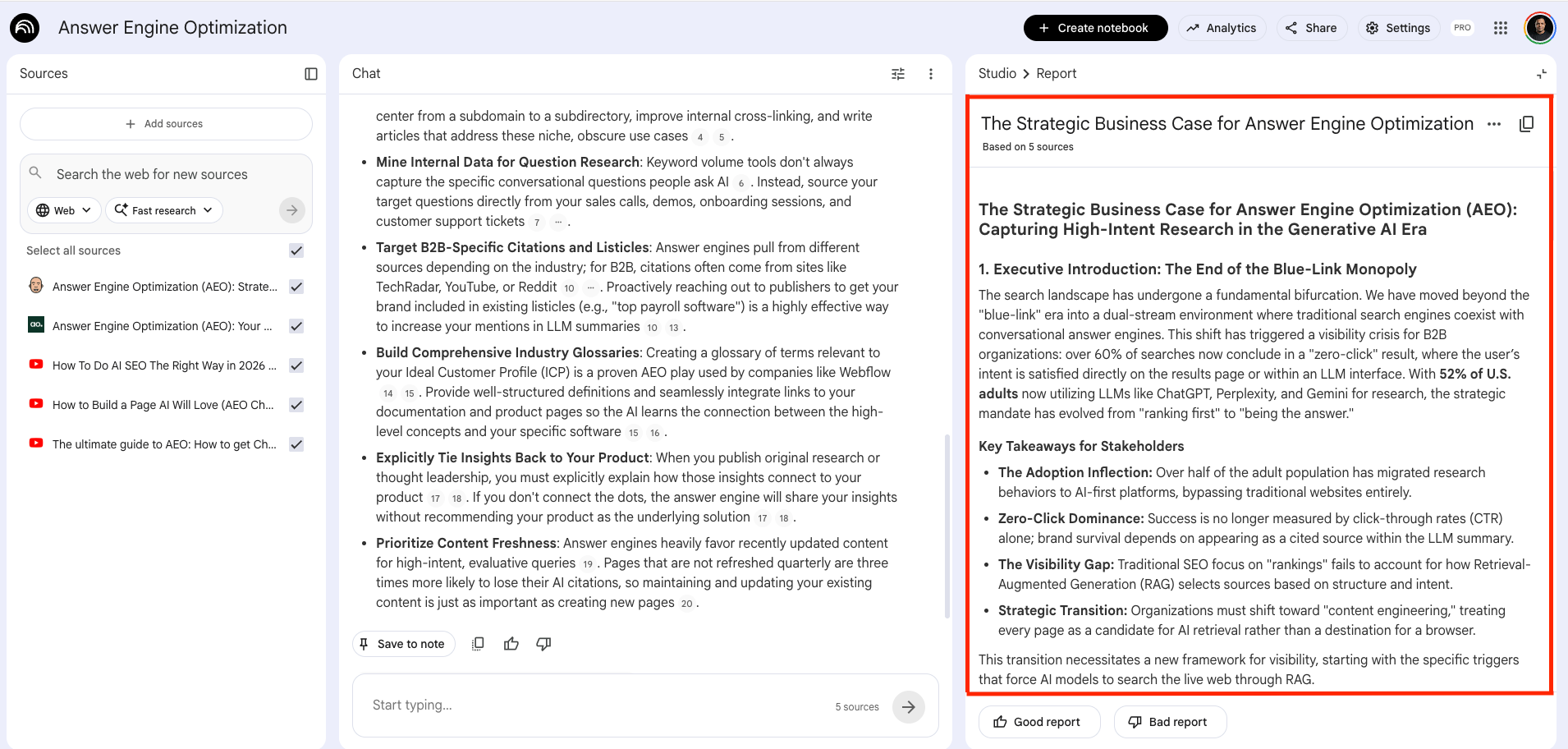
💡: There's Add Note option at the bottom of the Studio panel where you can add your own notes, observations, or a hypothesis and NotebookLM will treat it as a source alongside everything else.
2. Slide Deck
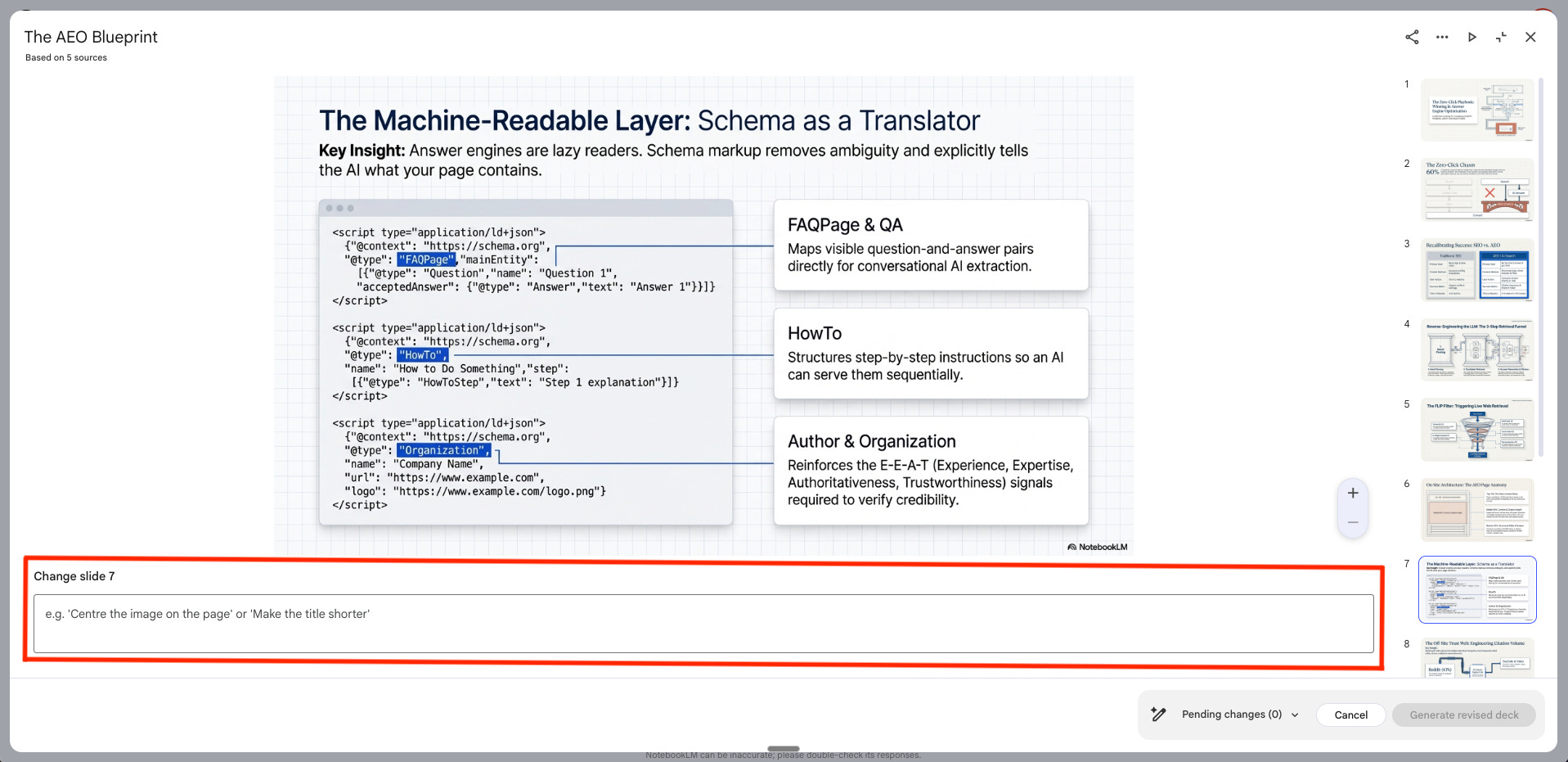
NotebookLM builds a full presentation from your sources. You choose between a visual deck or a text-heavy one depending on what you need.
You can also revise individual slides with prompts and export as PDF or PowerPoint when you're done.
3. Audio Overview
NotebookLM can turn your sources into a podcast-style summary.
Then listen on the NotebookLM mobile app. This super is underrated.
Honestly, the output is pretty impressive.
How to rank in AI answers
You can also generate the audio in different languages, which is pretty cool.

4. Video Overview
NotebookLM turns your sources into a short narrated video. You pick the format: an explainer, a brief, or a deep dive. Then choose a visual style, whiteboard, cinematic, or slideshow depending on how polished you need it to look.
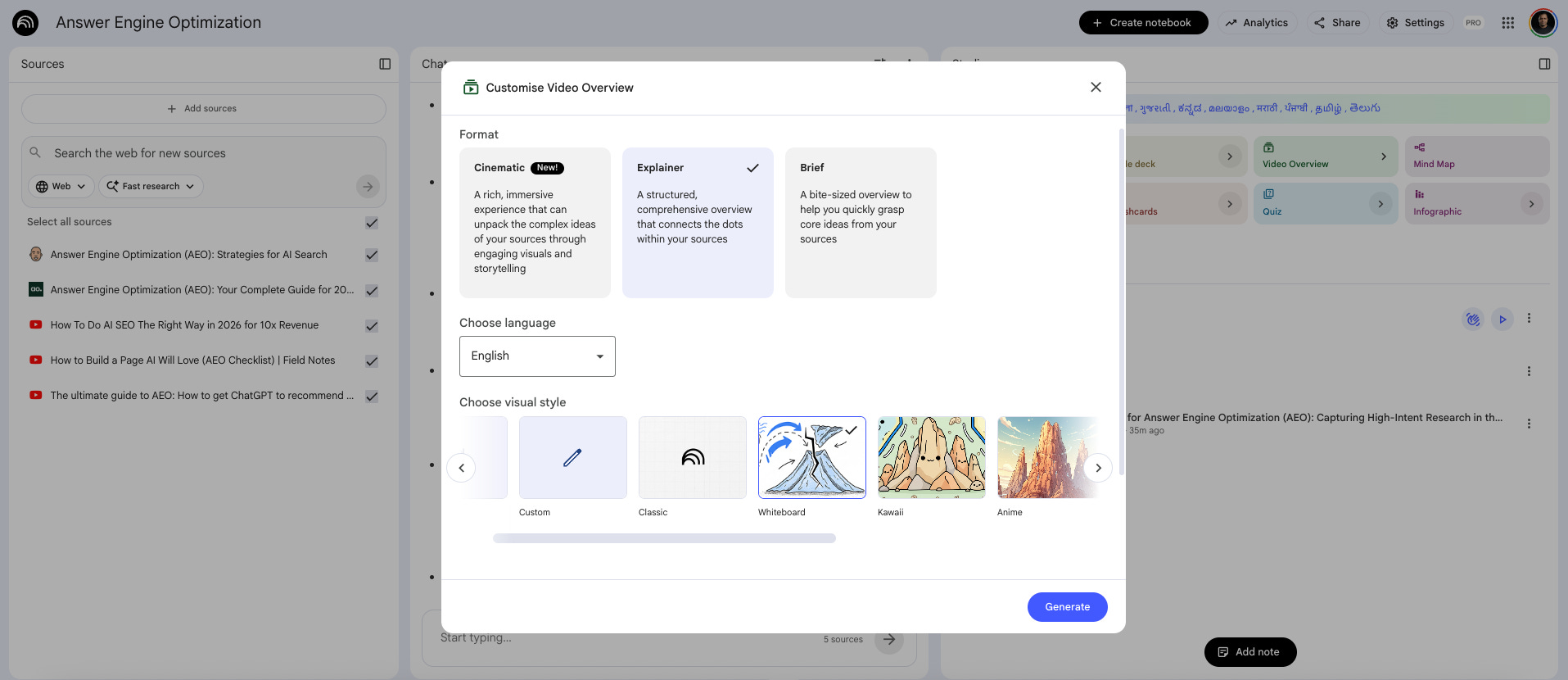
The output generated for AEO Explainer was pretty solid.
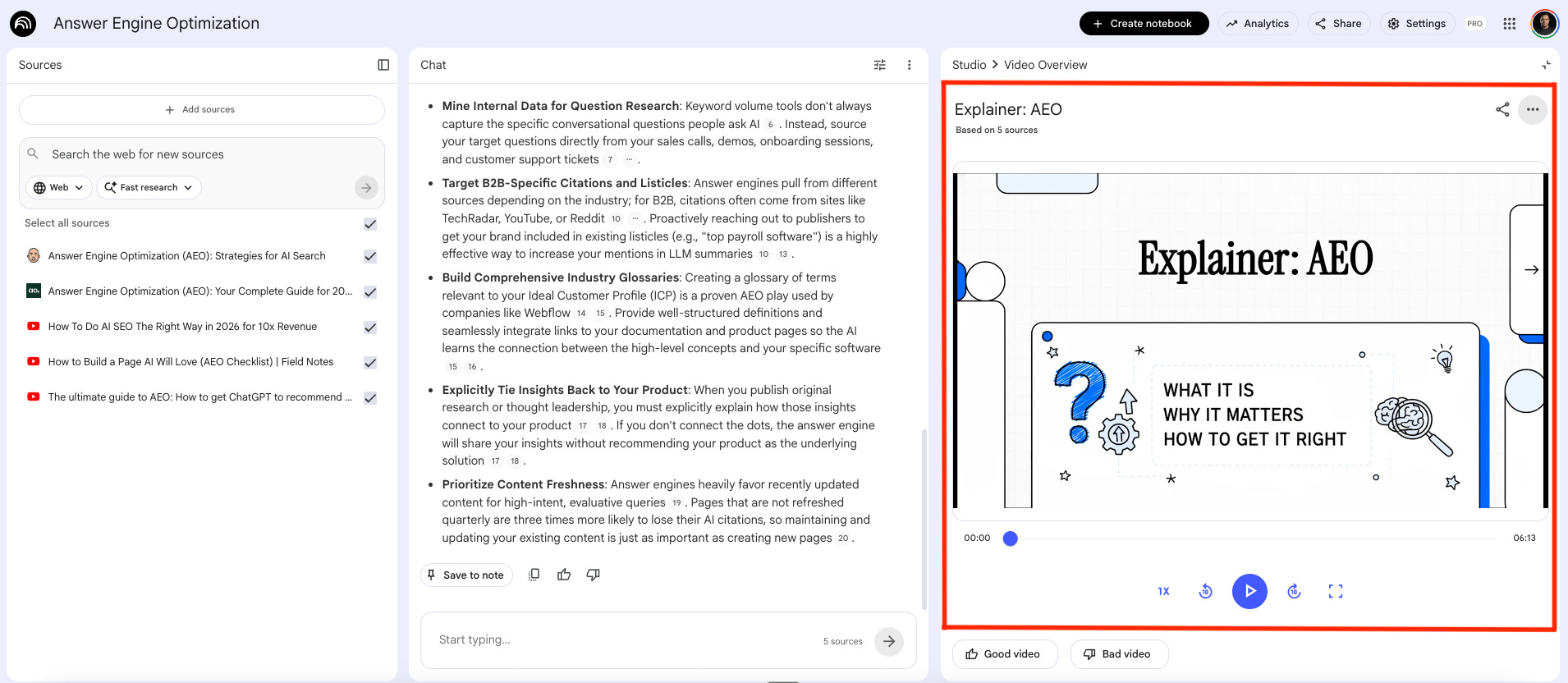
Explainer_AEO Video:
Mind Map
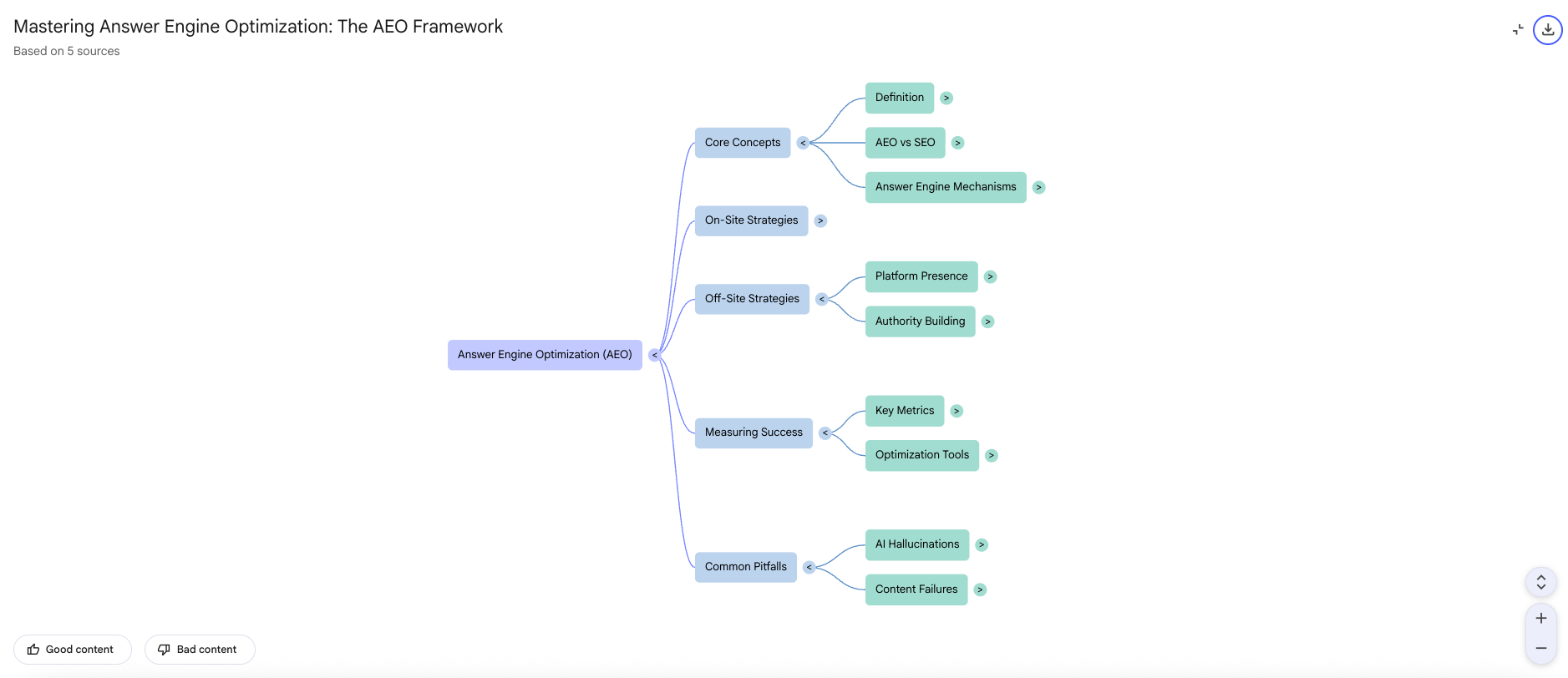
NotebookLM takes your sources and builds a visual map of the key concepts and how they connect. It’s interactive: click on any node and it opens a focused chat on that specific subtopic.
Useful when you’re trying to map out a content strategy, understand a new market, or pressure-test your positioning before a launch. Sometimes seeing the relationships between ideas is faster than reading about them.
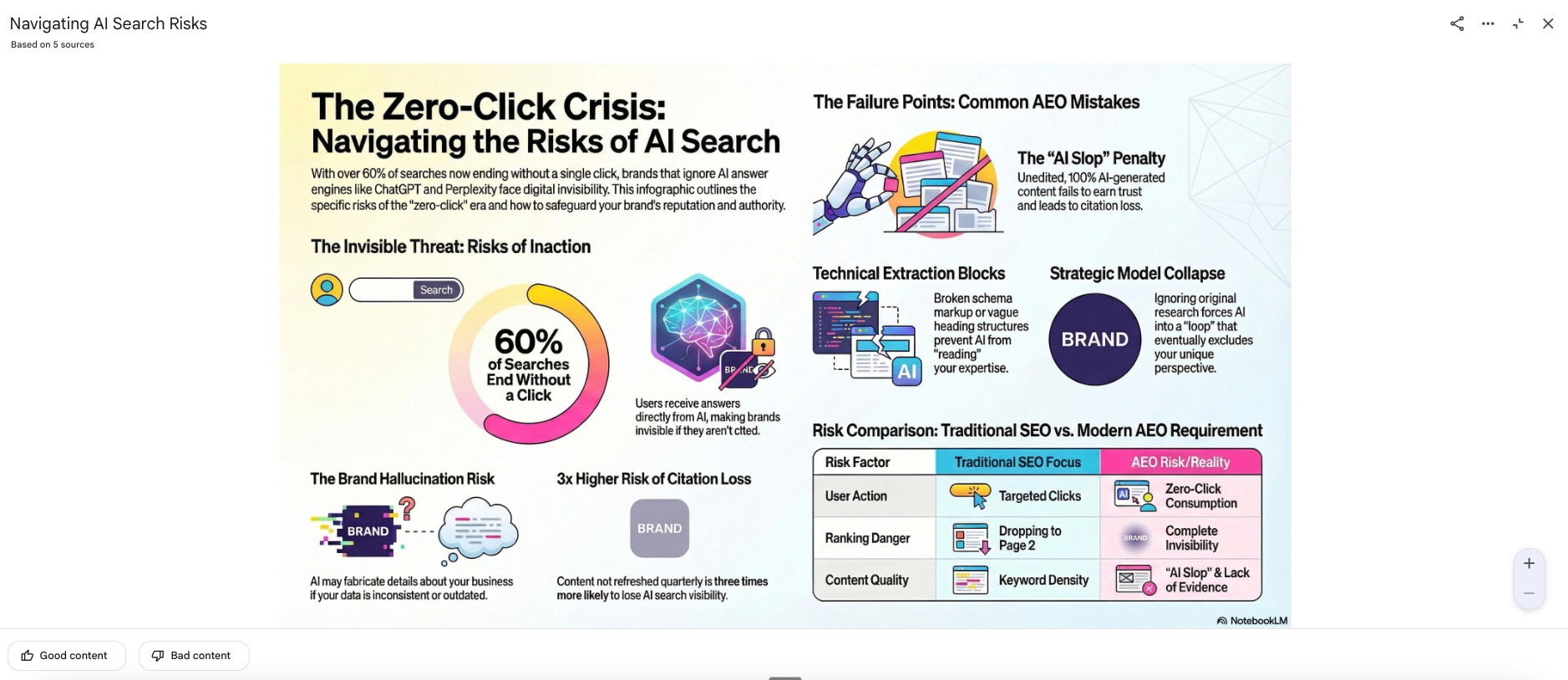
Infographics
NotebookLM turns your sources into a single visual summary. It’s quite useful for turning a research finding or competitive landscape into a shareable asset without briefing a designer.
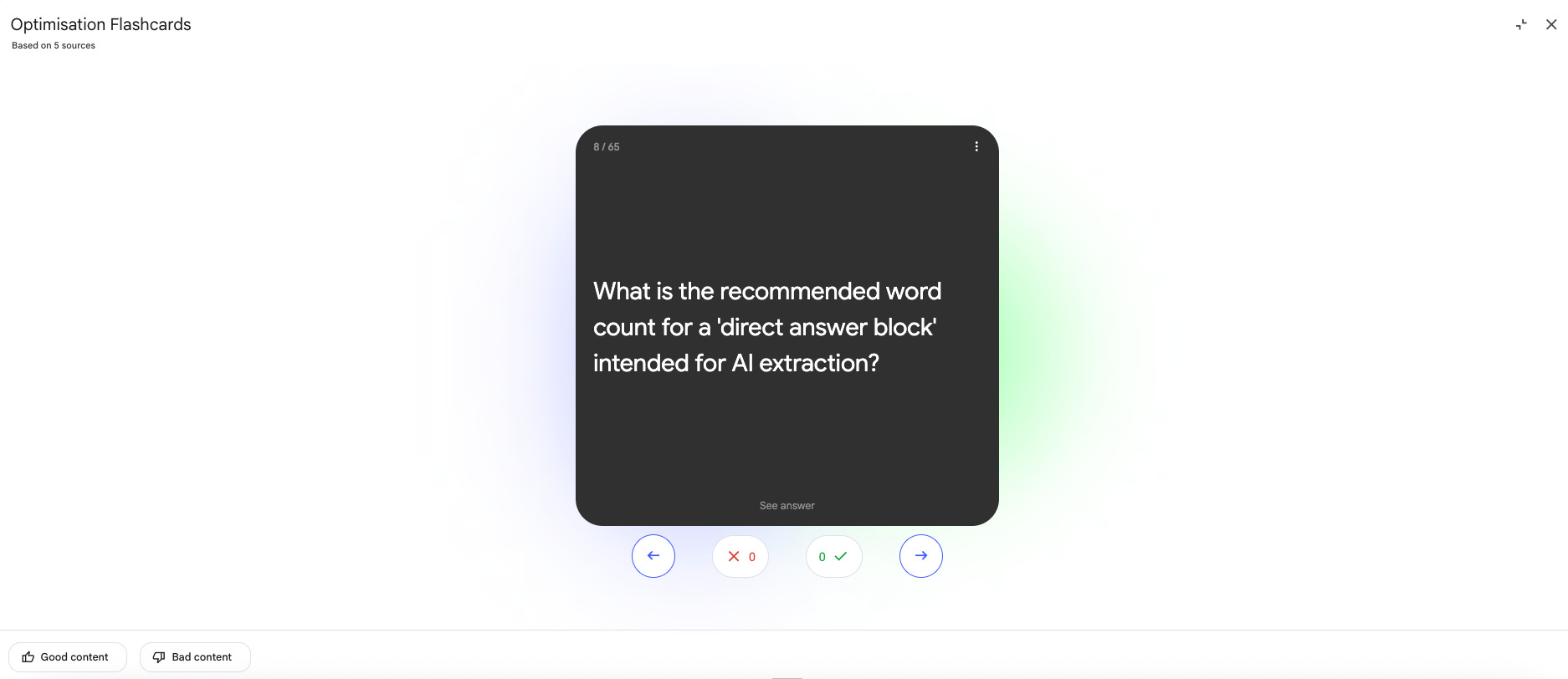
Flash Cards
NotebookLM turns your sources into active recall cards designed for spaced repetition.
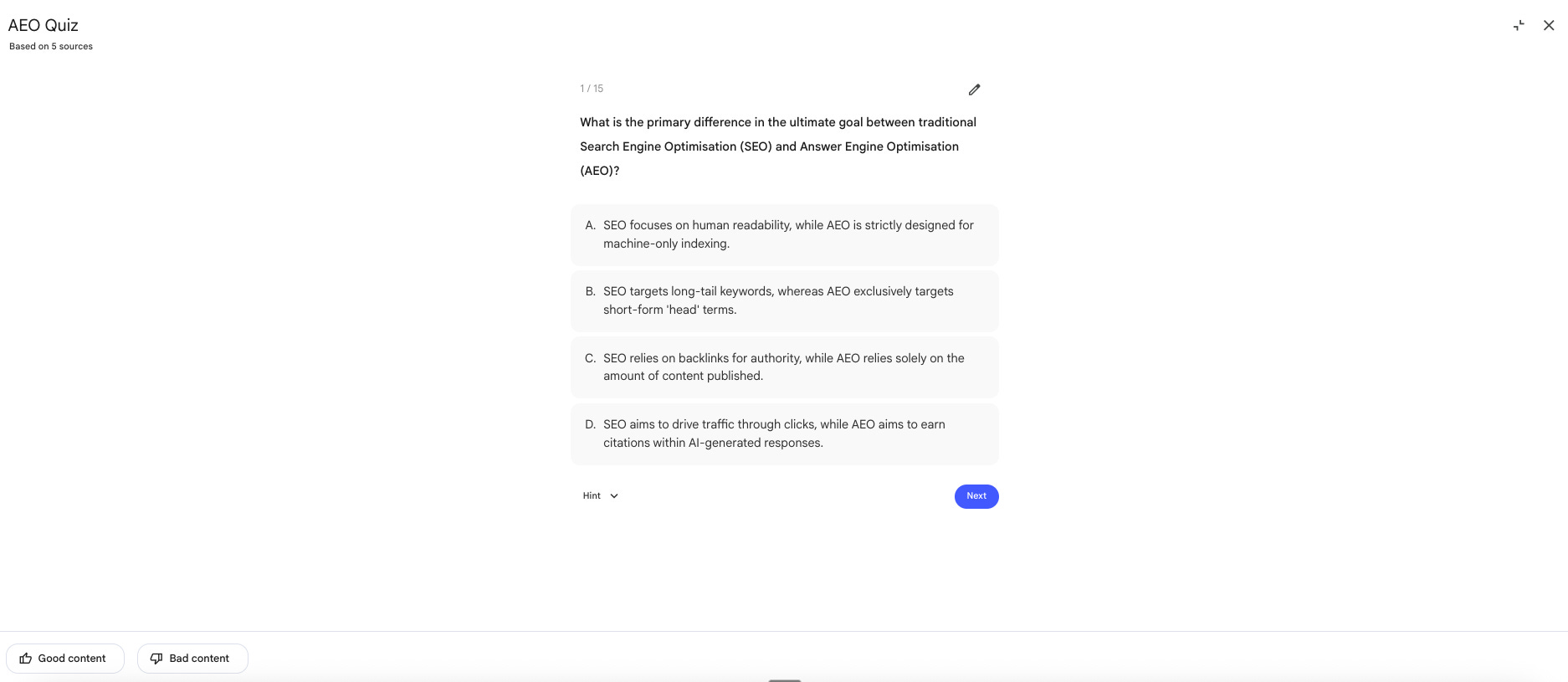
Quiz
NotebookLM creates multiple choice questions from your sources with adjustable difficulty levels. Same territory as flashcards. Most useful for onboarding and enablement. Upload your product docs and battlecards, generate a quiz, and send it to new SDRs before their first training call.
Data Table
NotebookLM pulls scattered information from your sources and organizes it into a structured, sortable comparison table. You can export it directly to Google Sheets.
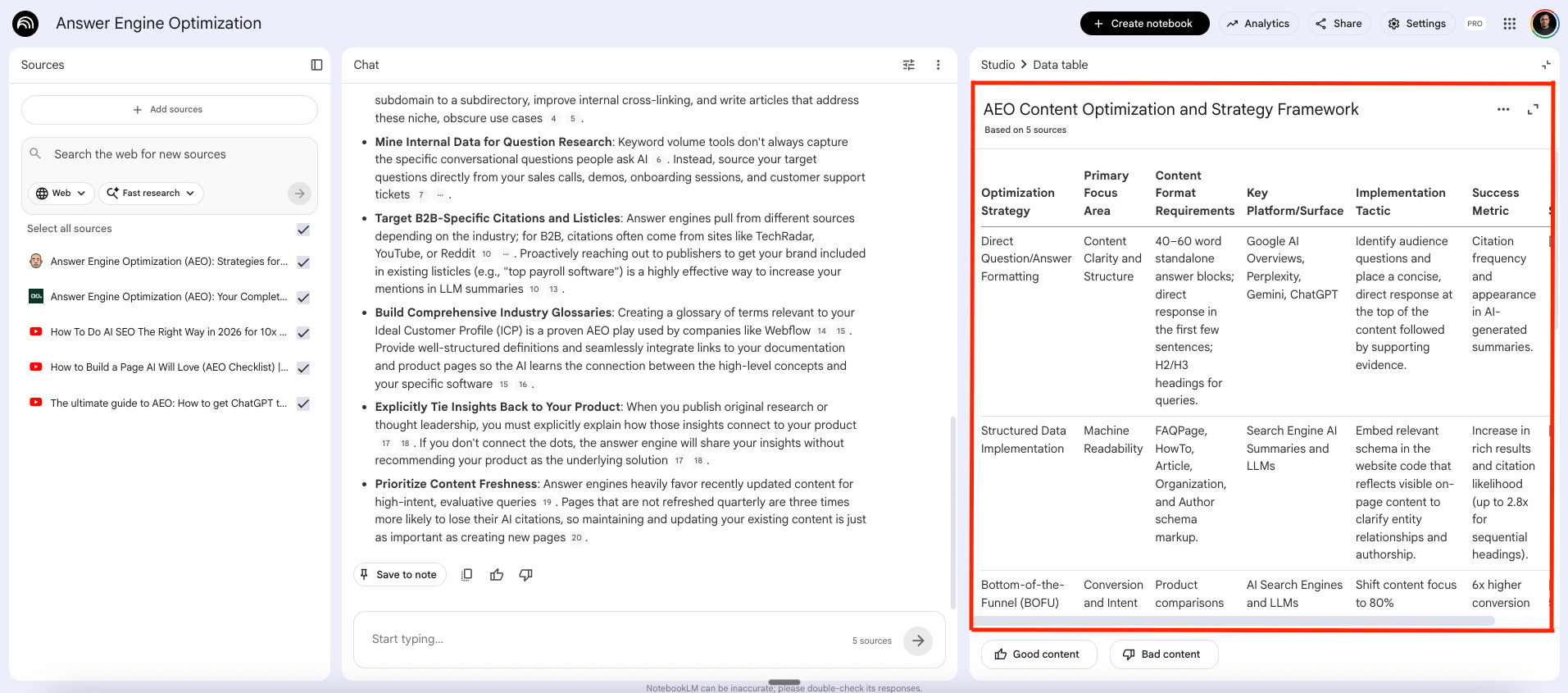
The features are the toolkit. Here are six marketing plays use cases where NotebookLM does work that would otherwise take hours.
1. Competitive Analysis
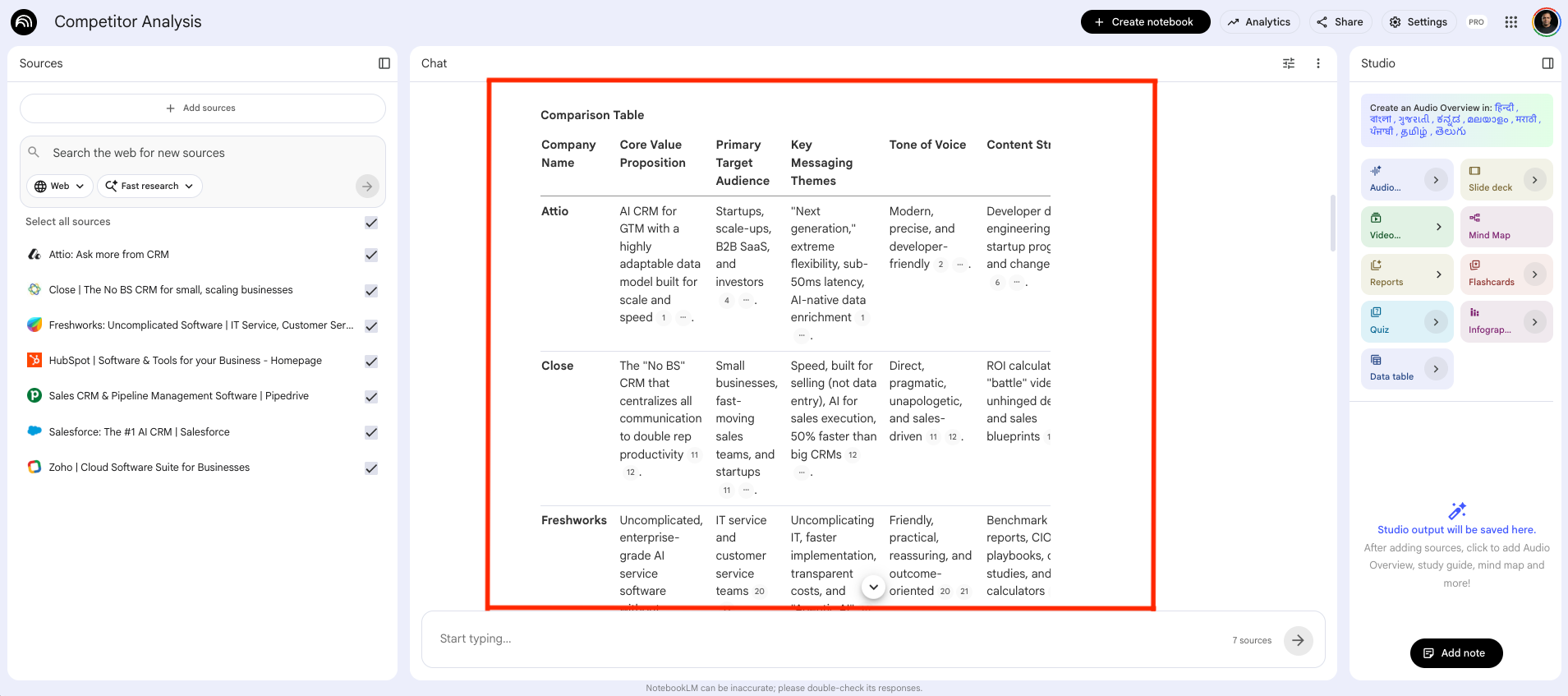
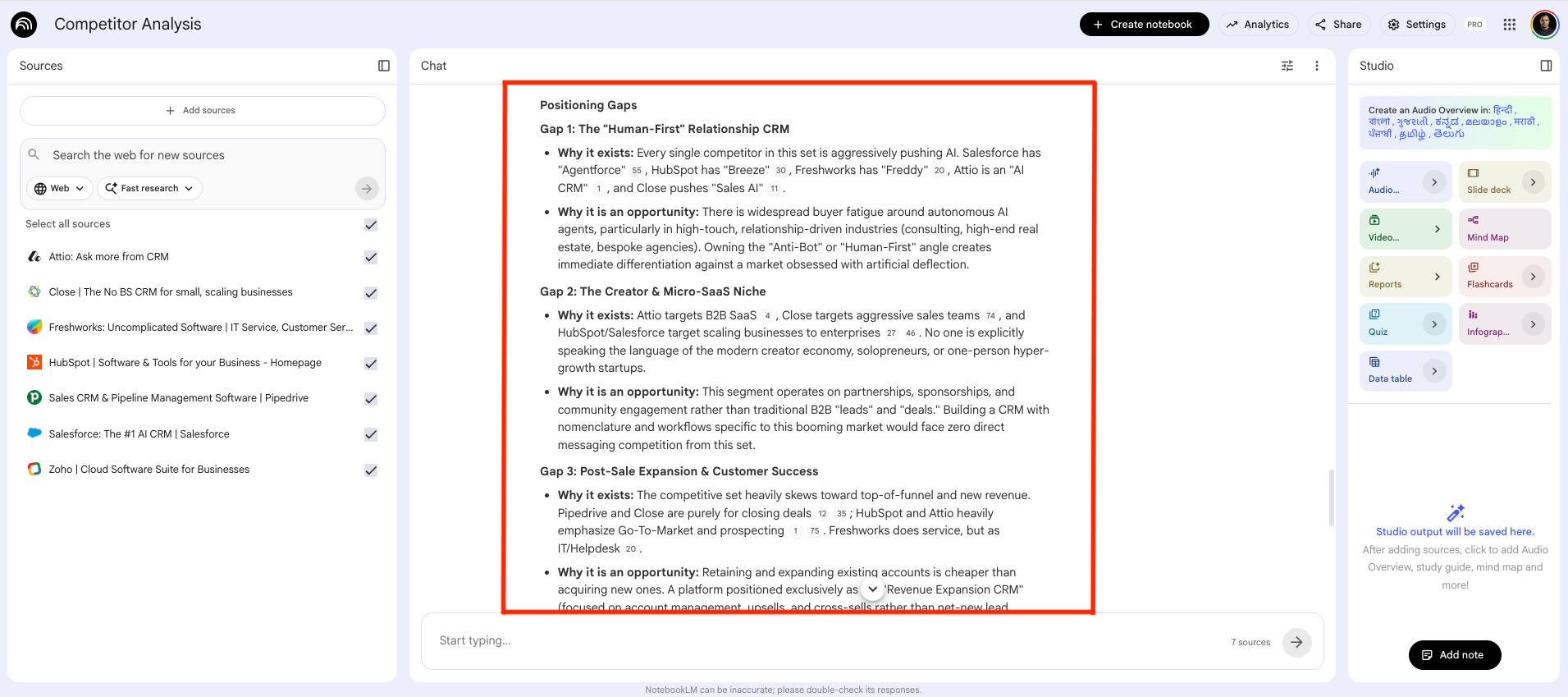
Upload your competitor websites, landing pages, and blog posts. Ask it to generate a comparison table across positioning, audience, messaging, and tone. Then push deeper: what problem is each competitor leading with, what emotion are they triggering, and what are they trying to own?
You get a structured, cited analysis you can share with your team, feed into a campaign brief, or use to build a battlecard. In a fraction of the time.
Here is a sample prompt:
You are a senior competitive intelligence analyst. I have uploaded a set of competitor websites. Your job is to conduct a thorough competitive analysis across all sources.
Do the following in this order:
First, generate a structured comparison table with these columns: company name, core value proposition, primary target audience, key messaging themes, tone of voice, content strategy, and primary call to action. Cite the source for each claim.
Second, go deeper on each competitor. For each one answer: what problem are they leading with, what emotion are they trying to trigger in their buyer, and what is the one thing they are clearly trying to own in the market.
Third, identify five positioning gaps across the full competitive set. A gap is an angle, an audience segment, or a pain point that no competitor is clearly owning. For each gap explain why it exists and why it is an opportunity.
Fourth, write a one paragraph positioning recommendation based on what you found. Where should we play that no one else is playing?
Format the output as: Comparison Table, Competitor Deep Dives, Positioning Gaps, Recommendation. Use headers for each section. Keep language sharp and direct.
2. Market Trend Analysis
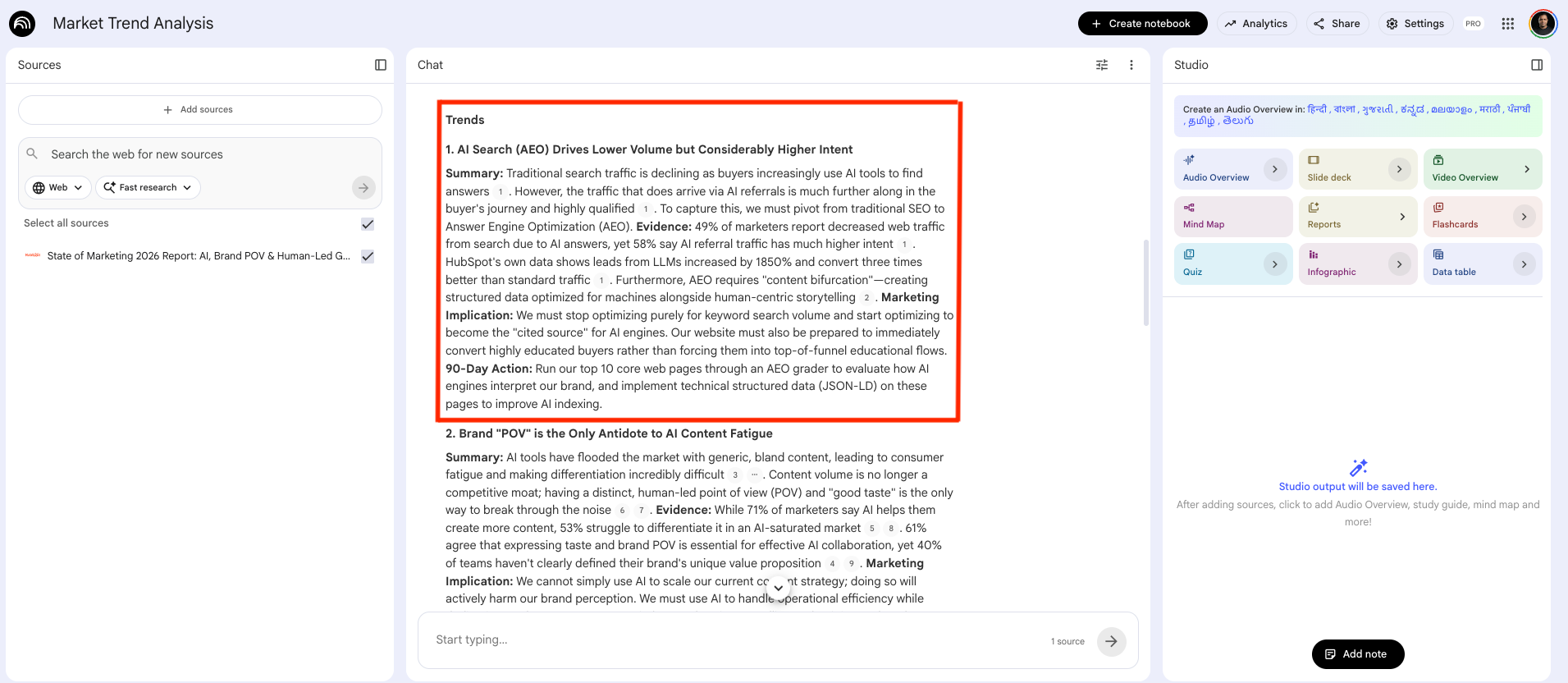
Upload an industry PDFs and ask NotebookLM to pull out the top emerging trends with one actionable recommendation per trend. But don’t stop at summaries. Ask it to act as a strategic partner and surface the questions a marketing leader should actually be asking about the research. Then ask for a gap analysis to flag what’s missing from your sources.
Here is a sample prompt:
You are a strategic marketing analyst. I have uploaded a set of industry reports and research documents. Your job is to turn this into something a marketing team can act on, not just read.
Do the following in this order:
First, identify the top five emerging trends most relevant to marketers based strictly on the uploaded sources. For each trend provide: a two to three sentence plain-language summary, the specific evidence from the sources that supports it with citations, one marketing implication explaining what this means for how we go to market, and one concrete action our team should take in the next 90 days.
Second, propose five critical questions a marketing leader should be asking based on what this research reveals. Not generic questions. Questions that only make sense given what is in these specific documents.
Third, flag what is missing. What topics, data points, or perspectives are absent from these sources that we should find before making any strategic decisions?
Output format: Trends with a sub-section per trend, then Critical Questions as a numbered list, then Gaps as a short paragraph. Write it so it can go directly into a leadership meeting.
Voice of Customer
Upload 20 to 30 raw customer reviews from YouTube, call recordings, customer testimonials, or wherever your buyers leave honest feedback. Ask NotebookLM to identify the top 5 pain points customers had before finding your product, and extract 10 direct quotes that highlight a specific benefit or outcome.
Here is a sample prompt:
You are a conversion customer research analyst. Your job is to mine raw customer language and turn it into marketing intelligence that goes directly into copy, positioning, and campaign briefs.
I have uploaded a set of customer reviews, testimonials, survey responses, and or interview transcripts. Do not paraphrase loosely. Stay close to what customers actually said.
Do the following in this exact order:
First, identify the 5 five pain points customers experienced before finding this product. For each pain point write a one sentence summary of the core frustration and rate how frequently this theme appears across the sources as high, medium, or low.
Second, extract customer quotes that describe a specific benefit, transformation, or measurable outcome. For each quote add: a one sentence note on where this could be used in marketing such as homepage headline, ad copy, sales email, or objection handling, and a suggested rewrite of the quote that keeps the customer’s voice but tightens it for use in copy.
Third, build a language map. List the exact words and phrases customers use repeatedly to describe their problem, their desired outcome, and the product itself. These are the words our copy should use, not the words we think sound good. Organise into three columns: problem language, outcome language, product language.
Fourth, identify every objection, hesitation, or frustration that appears more than once across the sources. For each one write a one sentence marketing response that directly addresses it, suitable for use in a landing page FAQ or sales email.
Output format: Pain Points Table, Quotes Library, Language Map, Objection Handler. Present as clean tables throughout.
4. Content Repurposing
Upload a single webinar transcript or video and ask NotebookLM to generate a full week of content from it. One prompt can return a 800-word blog post, a LinkedIn post with audience questions, and 3 email campaigns.
Here is a sample prompt:
You are a content marketing manager who specialises in extracting maximum value from a single piece of long-form content. Your job is to turn 1 webinar into a full week of content across multiple formats, without adding anything that is not in the original source.
I have uploaded a webinar video. Use only what is in this transcript. Do not invent examples, statistics, or claims that are not in the source material.
Generate the following assets in this order:
A 600 to 800 word blog recap with a compelling opening paragraph that does not start with a summary, 3 clearly structured key takeaways with subheadings that use the speaker’s actual language where relevant, and a closing paragraph with a clear next action for the reader. A FAQ section with 5 questions a buyer would realistically ask after watching this webinar, with concise answers grounded in what was said.
A 3-email follow-up sequence for attendees. Email 1 sent same day: thank you with the single most important takeaway. Email 2 sent 3 days later: go deeper on 1 specific insight with a soft CTA pointing to a relevant resource or next step. Email 3 sent 7 days later: a direct offer, whether that is a demo, a consultation, a download, or a relevant product page. Write a subject line for each email.
1 LinkedIn post between 150 and 200 words. Open with the most surprising insight from the webinar. Build to a key lesson. End with a genuine question for the audience.
3 social posts under 280 characters each. Each post leads with a different insight from the transcript. Label them Post 1, Post 2, Post 3.
Label every asset with a clear header. Note the timestamp or speaker quote from the transcript that each major claim is drawn from.
The information problem is not going away. If anything, it gets worse every quarter. More reports, more calls, more content, more noise.
NotebookLM does not solve that problem.
But it gives you a way to work inside it without drowning.
Upload what matters. Ask better questions. Get answers you can actually use.
That is the signal.
Yours Promptly,
Manu