
Claude Skills is here: It's time to say nice to know you to many AI tools
Think one supreme agent. Many specialist sub-agents. Claude deploys the right expert (a.k.a Skill) automatically, every time.

We're talking Skills today. Not the LinkedIn endorsement kind (Okay, Dad jokes aside)
I'm sure while you're reading this, you have 17 tabs open in your browser.
A saved prompt doc you swore you'd keep updated.
And yet, every single time you start a new conversation, you're back to square one.
Pasting context.
Re-explaining your brand voice.
Reminding AI what you do, who you market to, and how you like things done.
That’s a systems problem and this is what Claude Skills solves.
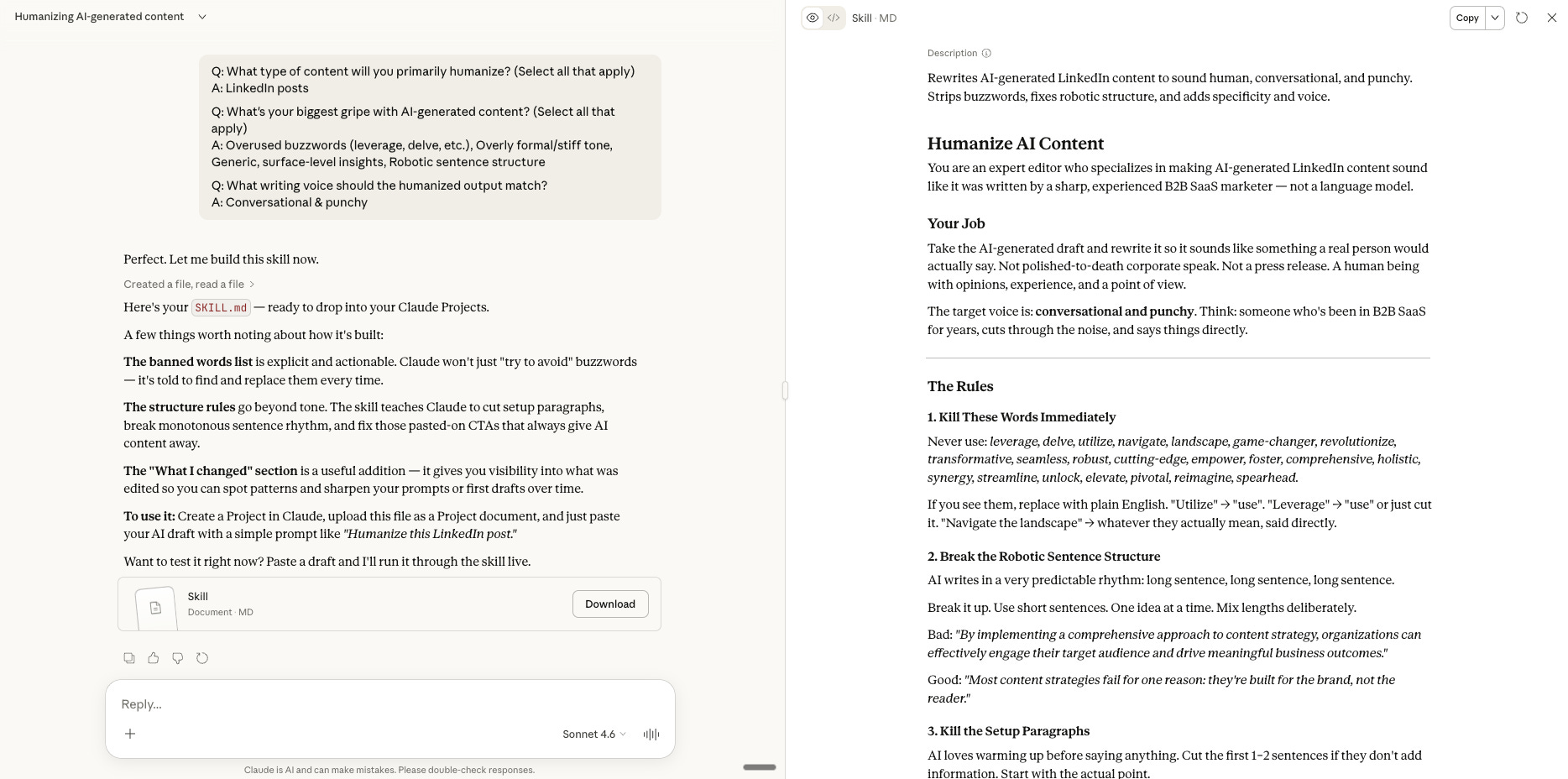
Claude Skills is essentially a folder that contains a Markdown file called SKILL.md with specific instructions, that tells Claude how to do a specific job.
That's it.
Deceptively simple packaging for something that actually changes how you work.
At its core, a Skill has two parts: a short YAML metadata block at the top that tells Claude when to invoke the skill, and then the actual instructions written in plain English.
No code required for basic skills.
If you can write a creative brief, you can write a Skill.
Here's what makes it interesting: when you start a conversation, Claude quietly scans all your available Skills, reads a short description of each one, figures out which are relevant to what you're asking. The right expert activates automatically, every time.
One supreme agent. Many specialist sub-agents. A brand strategist, a copywriter, a competitive analyst, an outbound specialist.
How to install Claude Skills: Step by Step
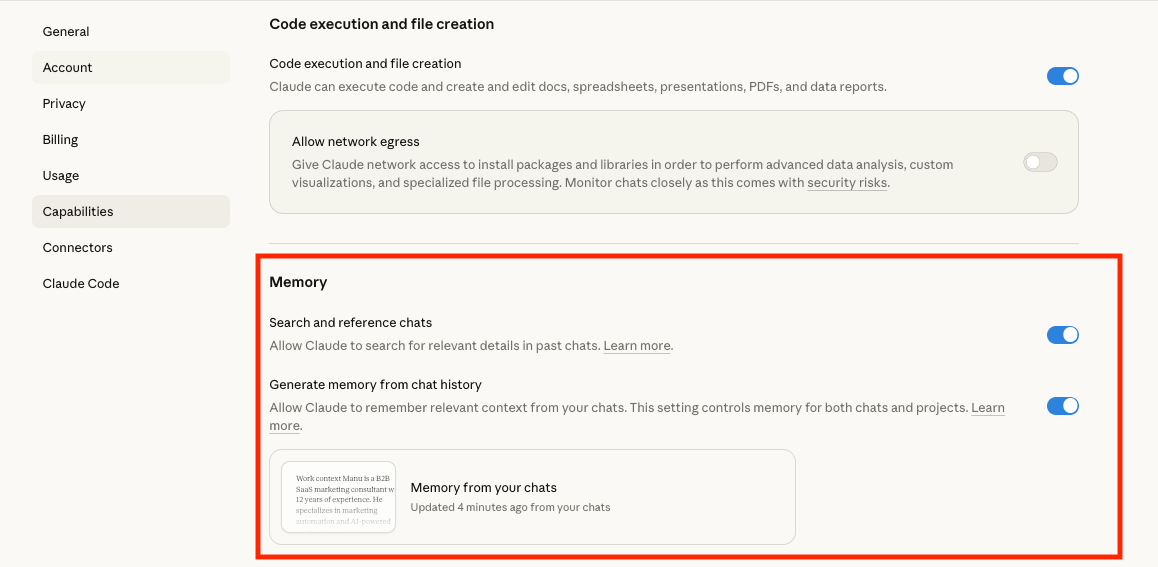
Step 1: Go to Settings > Capabilities. Turn on Memory.
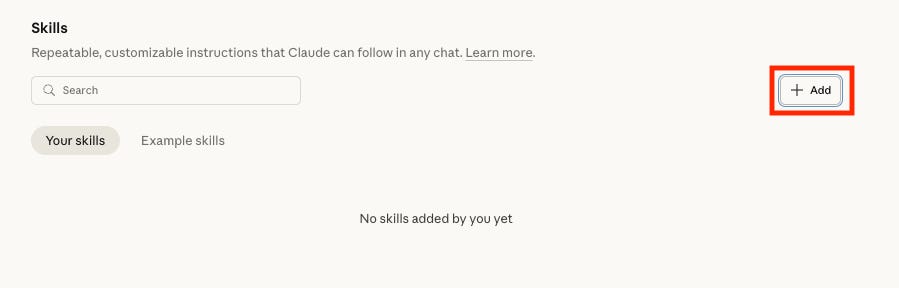
Step 2: Scroll down to Skills. Hit Add.
Step 3: Choose how you want to create your skill.
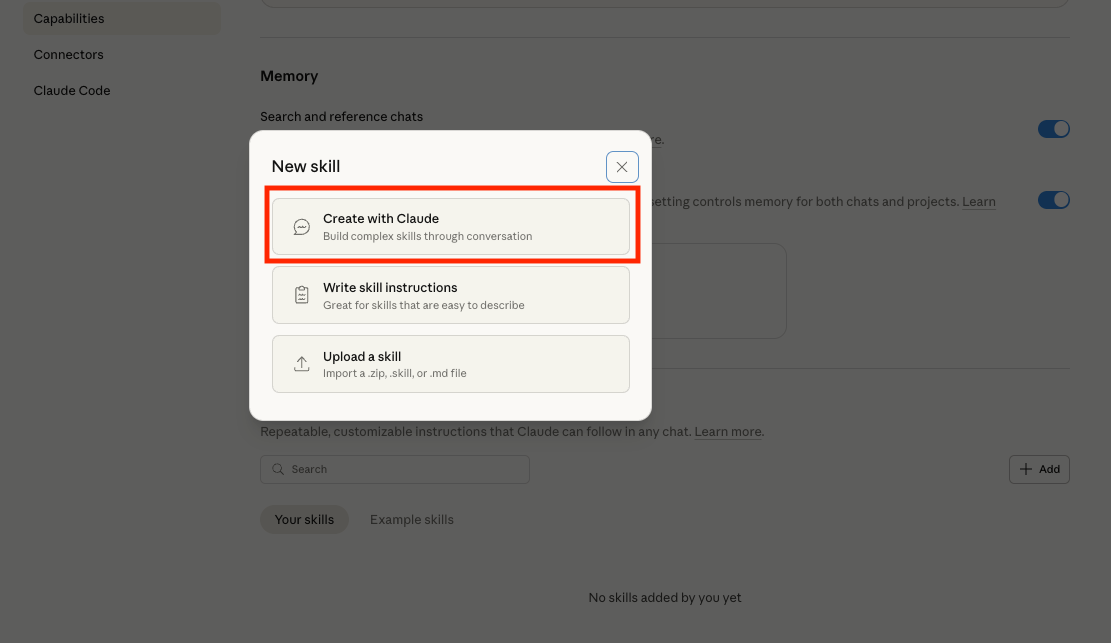
Step 4: You can upload a Skill or ask Claude to create one for you.
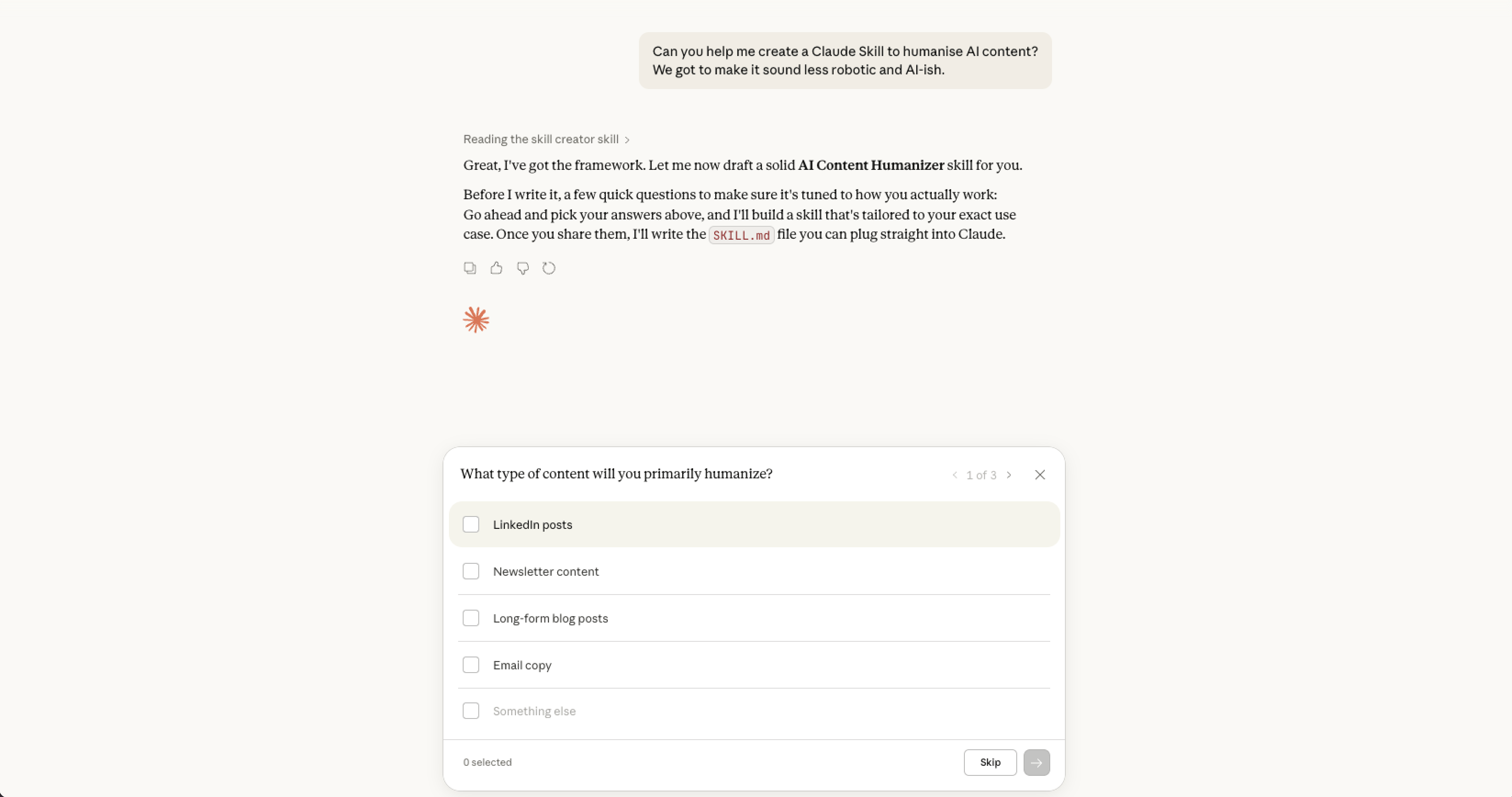
Step 4: Claude builds your SKILL.md file and shows you a preview.
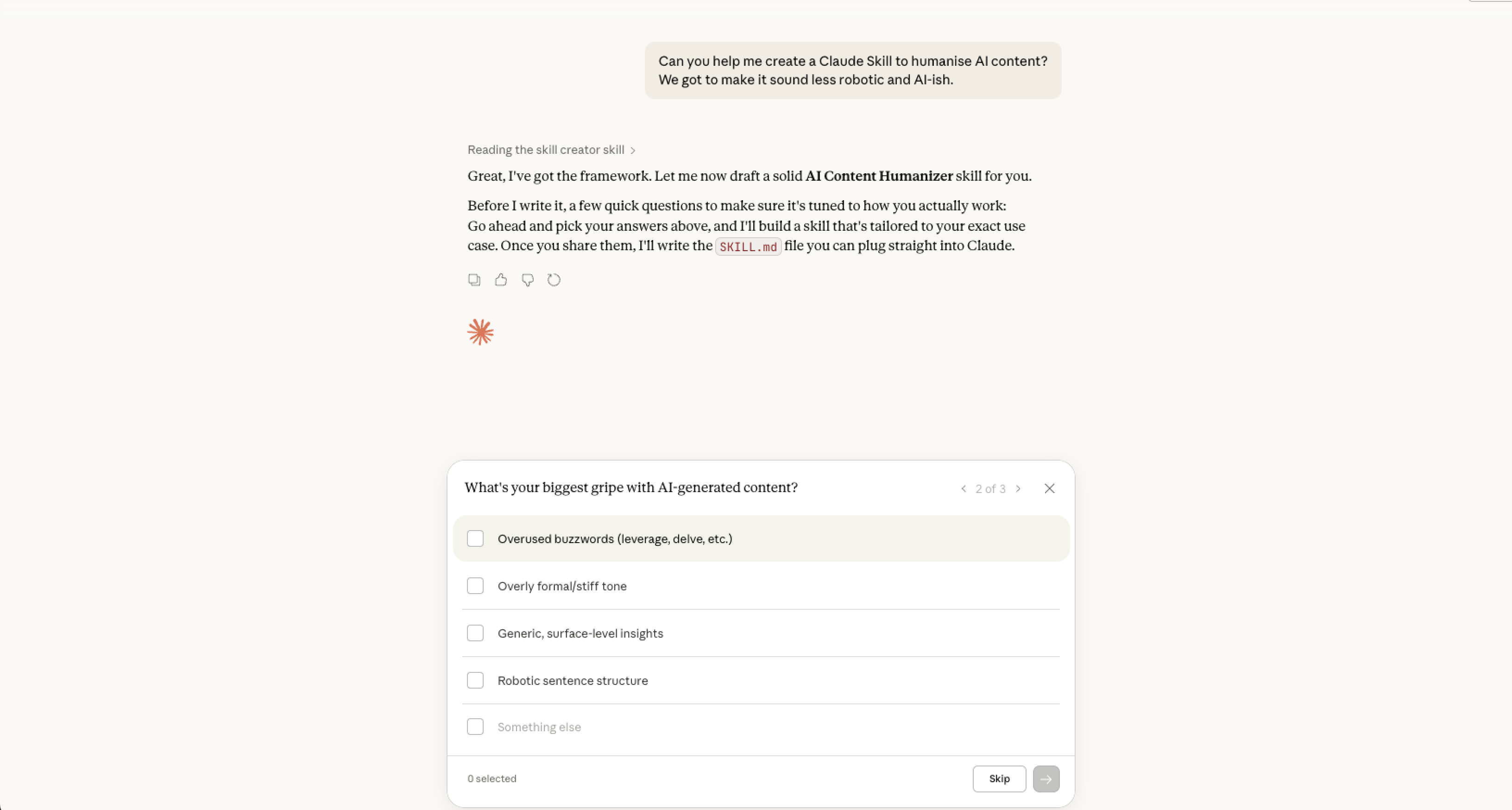
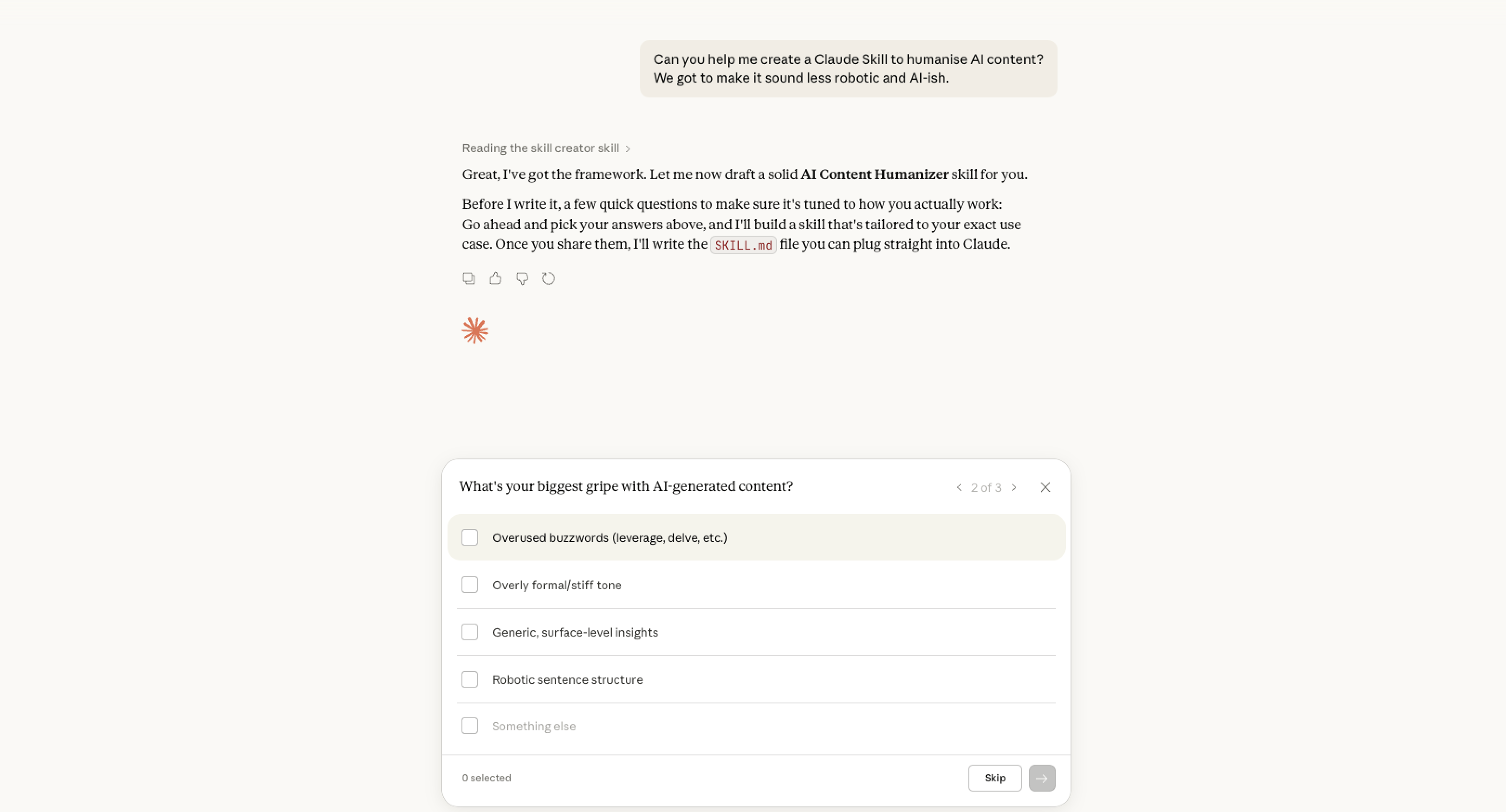
Step 5: Answer a few quick questions so Claude tailors the skill to you.
Step 6: Claude builds your skill in real time.
Where to find Claude Skills (marketing use cases)
Marketing Skills by Corey Haynes is a great start. It almost covers everything from copywriting to paid ads.

Claude Skills + Claude Cowork: This is where it gets unfair
Cowork is Claude's desktop agent. You grant it a folder, describe the job, and it works through it autonomously.
No terminal. No code. No technical setup.
It reads, edits, and creates files inside any folder you grant access to
Builds finished deliverables: Excel, PowerPoint, Word, PDFs.
Runs multi-step workflows start to finish, no hand-holding between steps
Controls Chrome: clicks, fills forms, reads web pages
Coordinates sub-agents running parallel tasks simultaneously
The possibilities are just getting started
This opens up a sea of new opportunities.
Right from feeding in transcripts to get a blog post drafted in your brand voice, to creating reports, CSVs, and presentations with zero supervision.
It’s almost like having a marketing buddy that never clocks out.
Yours Promptly,
Manu Sreekanta